
See what matters now
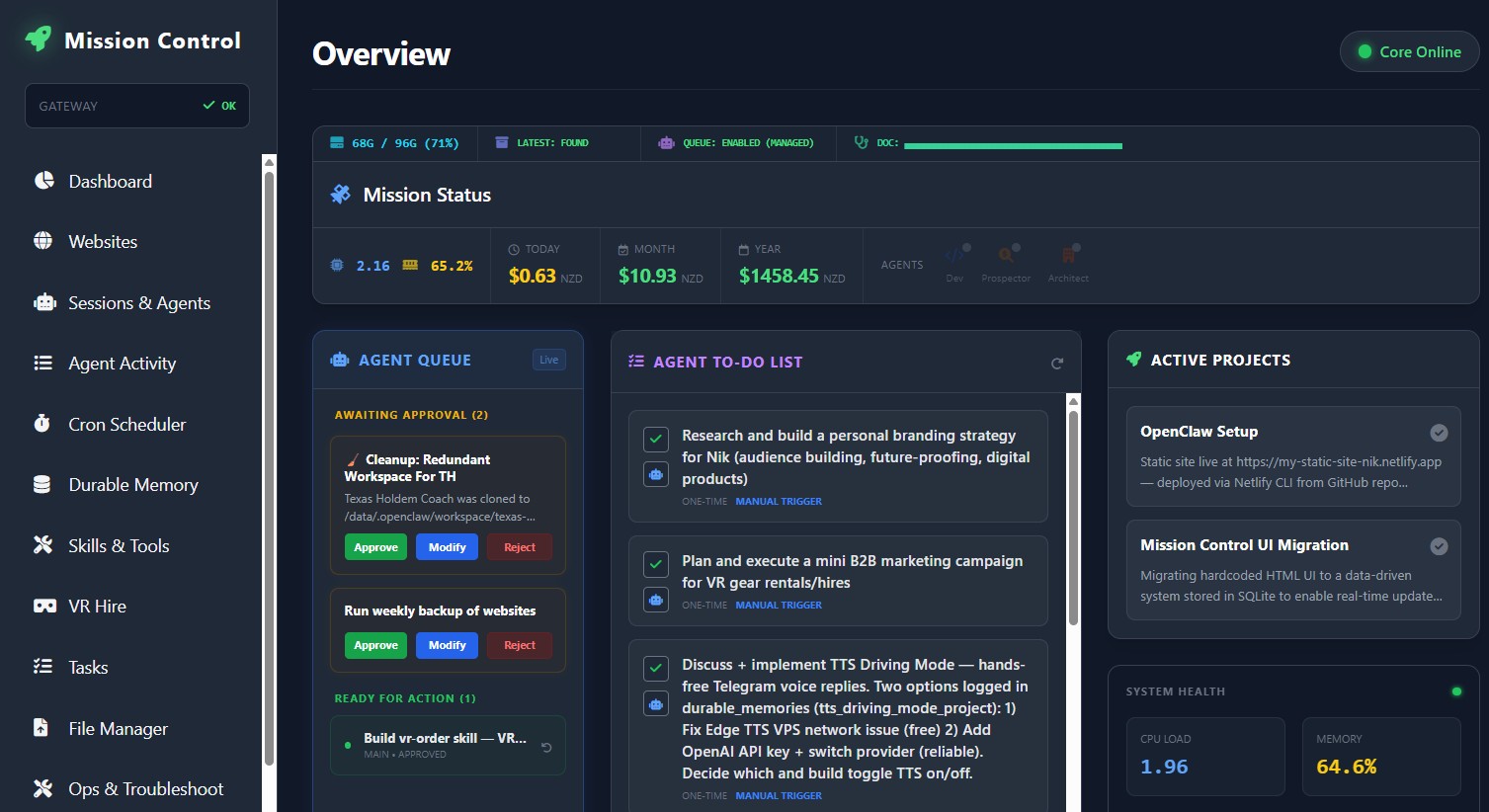
Real-time health and clear status cards surface blockers and decisions without exposing infrastructure detail.
Operations Hub · Built around your business
Feeling like you need to check emails, texts, calendars and three different apps just to find out what is happening? Operations Hub brings everything into one clear dashboard — your AI agent reads the inbox, watches the calendar, nudges staff and clients about what needs attention, and runs the custom apps your business actually depends on. Built for owners who want to step back without losing control.
Our VR Hire operation — bookings, fleet tracking, client comms, job scheduling — runs inside Operations Hub. It is mission-critical for us, not a proof of concept.
A practical command centre
Follow work from request to completion, review exceptions and keep your team moving from one calm workspace.
What your AI agent actually does, every day
Your Operations Hub agent has a list of responsibilities you agree on during setup. Here is what it can handle out of the gate:
Reads your Gmail, Outlook or email of choice. Surfaces the 3 emails that actually need you today. Drafts replies for the rest. You approve before it sends.
Watches your calendar for double-bookings, no-shows, and gaps. Suggests available slots. Sends booking confirmations and reminders automatically.
Sends a polite text or email when a quote has sat for 48 hours, a job needs signing off, or a customer has not confirmed their appointment. Escalates to you if ignored.
Your booking system, quoting tool, job tracker, client portal — the apps you already use or want built — run inside Operations Hub. One login, one dashboard, one source of truth.
Xero for invoicing, Gmail for email, Google Calendar for scheduling, WhatsApp for client messages, Slack for team chat — your agent connects to the tools you already trust.
Less chasing. More progress.
Automate routine coordination, keep human approval where it matters and ship work faster without juggling separate tools.
Real-time health and clear status cards surface blockers and decisions without exposing infrastructure detail.
Use human approval for sensitive actions. Approve, Modify or Reject before work continues.
Start with the useful core, add as little or as much as you need, and expand later as opportunities become clear.
Customised For Your Business
Operations Hub is customised around your business after we understand your requirements and AI Opportunity Audit findings. Optional modules can then be scoped around the work that delivers the most value.
Start with the opportunity
We will identify where an operational hub could remove friction, define the controls and shape a practical starting scope — whether that is email triage, calendar management, a custom app, or a mix of all three.